AI autocomplete for Mac
Let the next words come to you. Learn how local suggestions work in compatible text fields.
Private, on-device AI for Mac
Press Tab to finish your sentence. Tap ⌘ ⌥ to rewrite it shorter, friendlier, or more professional. It runs on your Mac, so your text isn’t sent to a cloud AI.
One payment · up to 3 Macs · macOS 14+ on Apple Silicon · No subscription
WHAT DRAFTKEY DOES
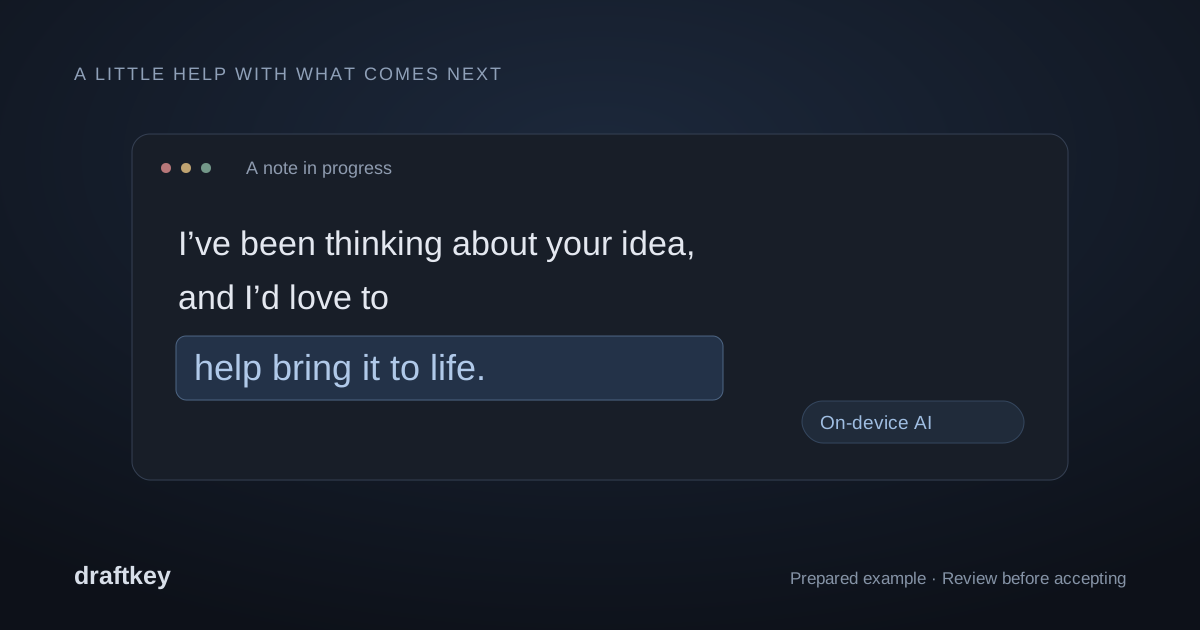
DraftKey suggests the next words as you type in compatible Mac text fields. Press Tab to accept, or keep typing to ignore it.
Tap Command + Option to open Writing tools on the current paragraph or your selection. Pick Fix writing, Shorter, Clearer, or a tone like Friendly or Professional, or write your own request. Review the result, then insert it.
The writing model runs on your Mac and works offline after setup. Your text isn’t sent to a cloud AI service, and you choose which apps DraftKey works in. The internet is used only for the model download, license activation, and update checks.
Works in compatible Mac text fields. Some custom editors and secure fields are excluded.

TRY IT YOURSELF
Try a rewrite, finish a thought, or find your sound. A small preview of your next writing session.
Start a thought. Press Tab to keep it going.
Hey Alex,
I’ve been thinking about your idea, and I’d love to help bring it to life.
What would you like to change? Pick an action to preview it.
 A little more polished
A small change can make all the difference.
Give commands your own names, choose what they do, and set their shortcuts. These settings apply to this website demo and stay in this browser.
Use Command + Option + R, Control + Option/Alt with a letter, Option/Alt with a letter, number, Space or Enter, or ⌘/Ctrl + Enter. Shortcuts work while you use the Rewrite demo. Each action previews a prepared example.
Mechanical keyboard sounds. Type here or play a sample.
DraftKey runs its writing model on your Mac. Your text isn’t sent to a cloud AI service.
An internet connection is needed for the initial model download, license activation, and update checks.
PRICING
Pay once and keep your license. No account, no monthly bill.
$4.99USD, paid once
ALSO INCLUDED
Every license also includes clipboard history and mechanical keyboard sounds. Both work without the AI model.
CLIPBOARD HISTORY
That link. That line. The message you copied a moment ago. Keep your latest 10 text copies close, even when you copy something else.
Open your history right where you’re working. No trip to Settings.
See how to recover a copy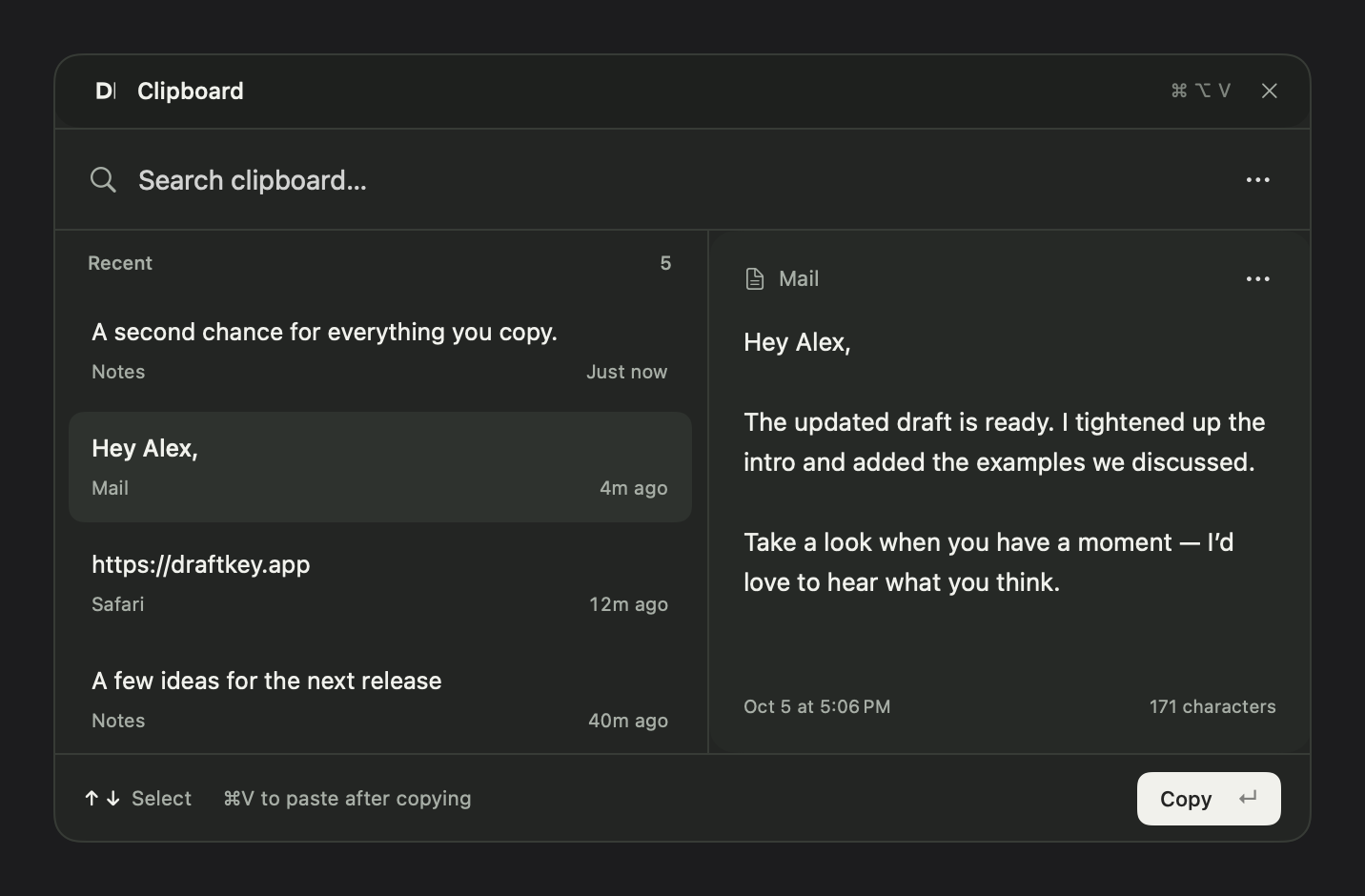
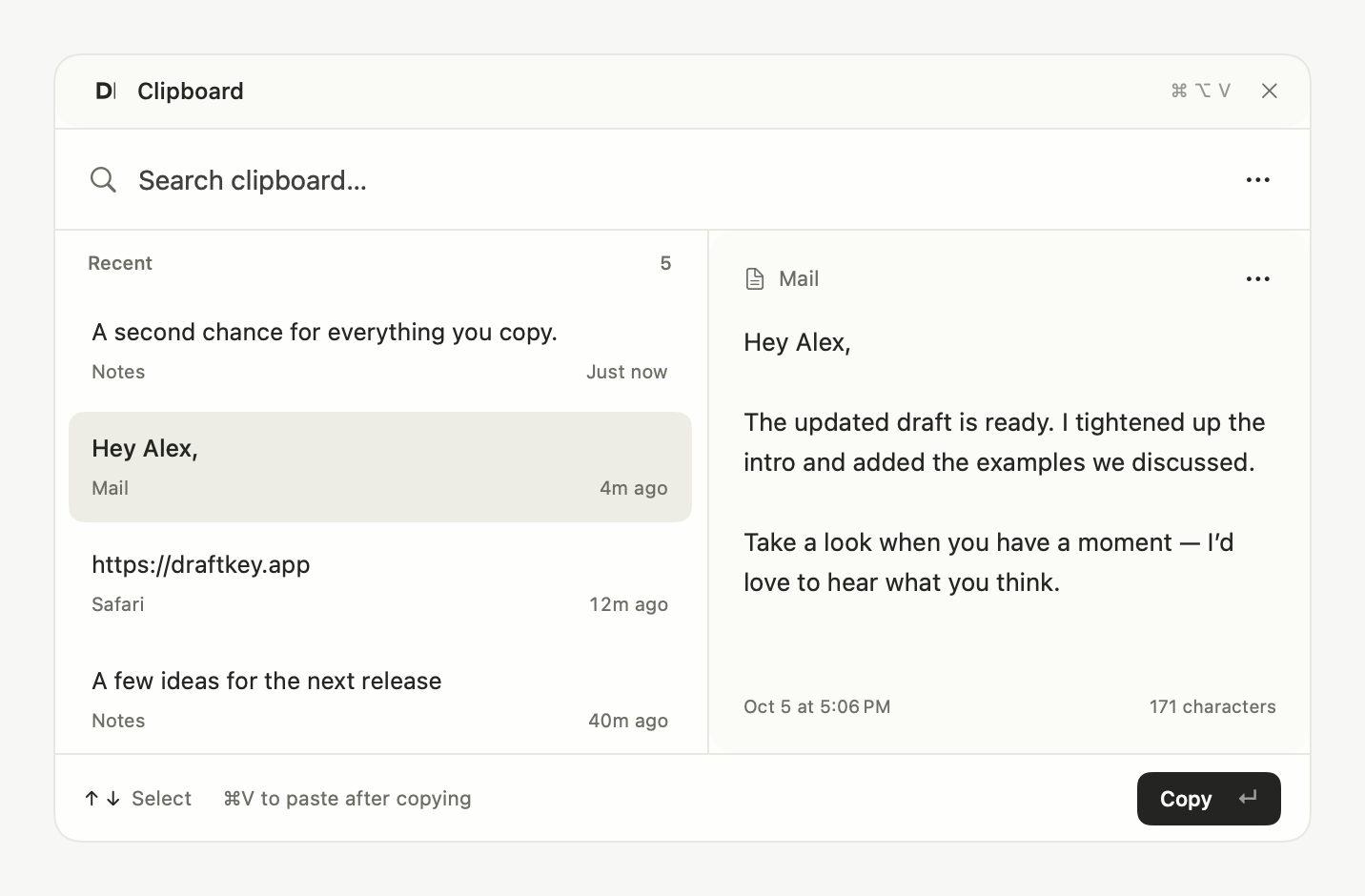
Keep DraftKey running with history enabled. Copy a link, a sentence, then something else.
Open the picker from your app. Search your copies, or use ↑ and ↓ to choose.
Press Return to copy it again. The picker closes; press ⌘ V to paste where you need it.
Only text is saved, up to 256 KB per copy. The 11th different copy removes the oldest. Copying the same text again moves it to the top without using another slot. History stays on this Mac across restarts.
In Settings → Clipboard, you can delete individual copies, clear history, or stop recording. Pausing DraftKey pauses recording too. Images, files, known password-manager copies, and items marked private are skipped. Copies made while DraftKey is closed or paused aren’t saved.
Press Escape to close the picker without changing your clipboard. Command–V always pastes normally.
Ready when you are
Your first letter starts the timer.
Cream · soft, full-bodied keystrokes
Mechanical keyboard sounds. Headphones recommended.
EXPLORE DRAFTKEY
Everything you need to find your flow with DraftKey.
Let the next words come to you. Learn how local suggestions work in compatible text fields.
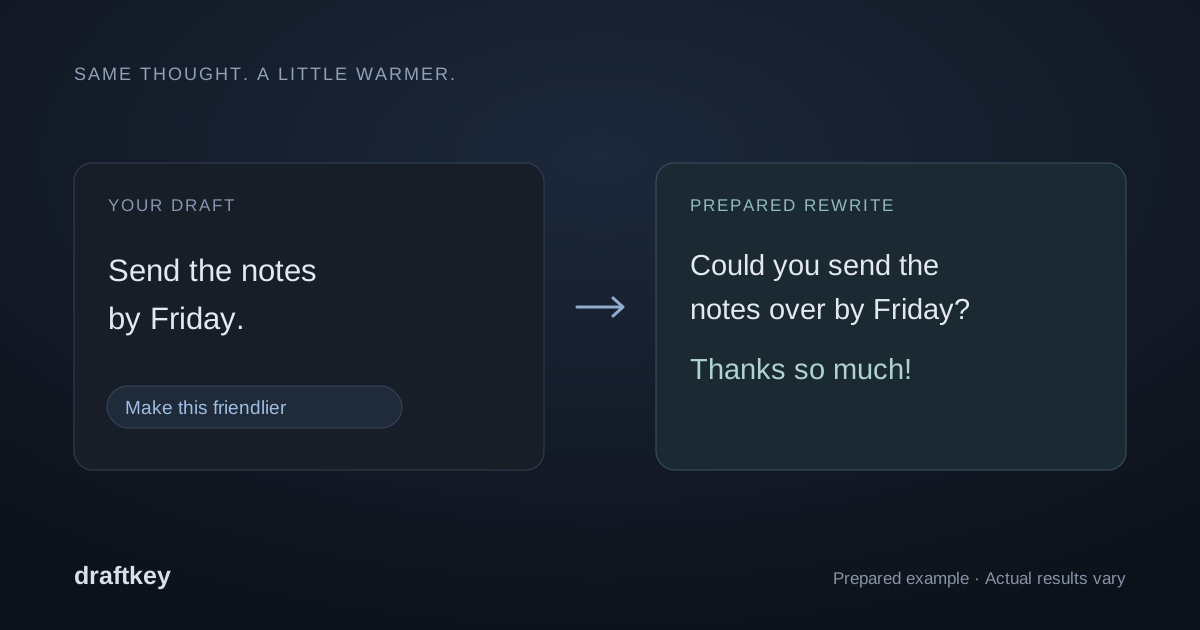
A clearer draft, still your voice. Start with a specific instruction and review the result.
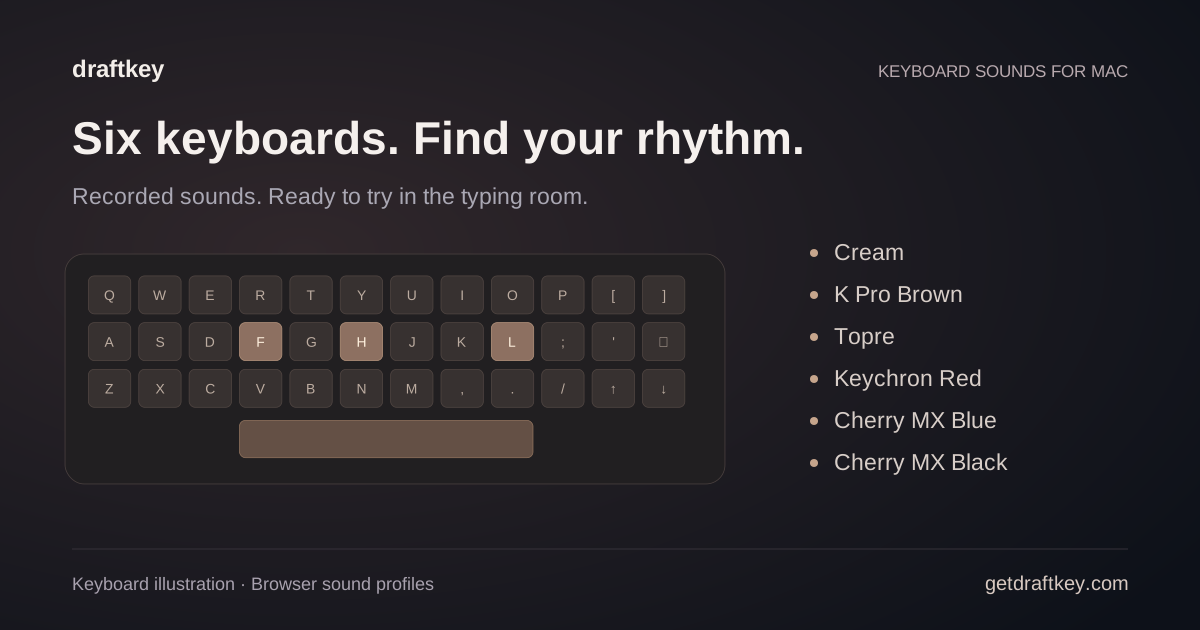
Compare sound profiles, try the typing room, and use sounds independently of AI.
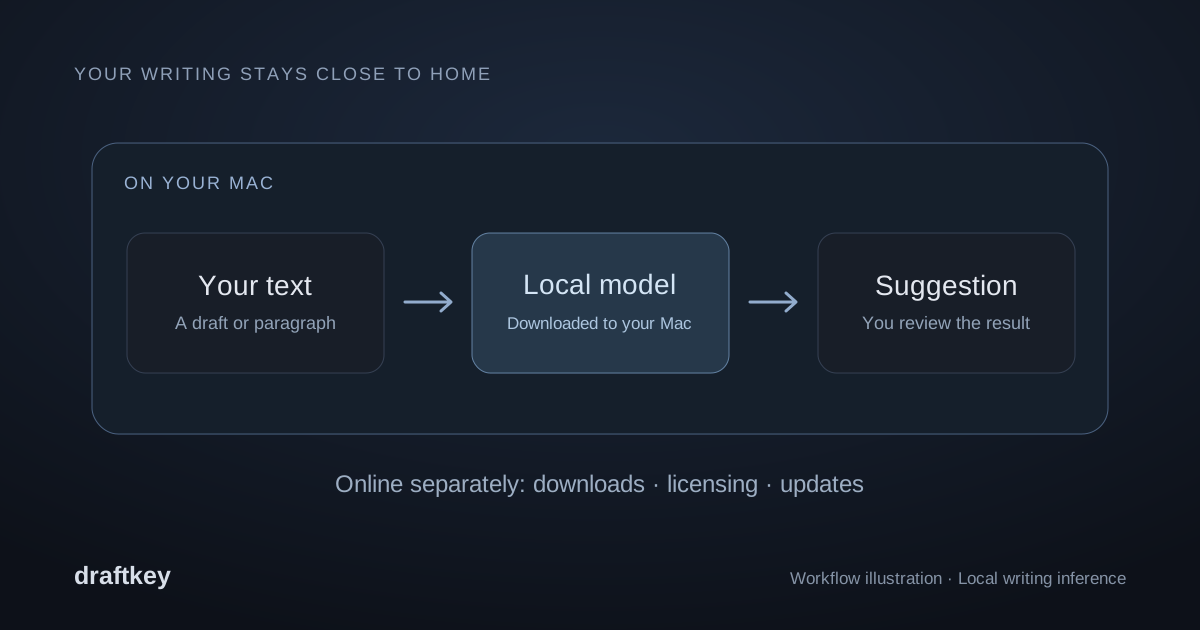
What stays on your Mac, what needs the internet, and where you have control.
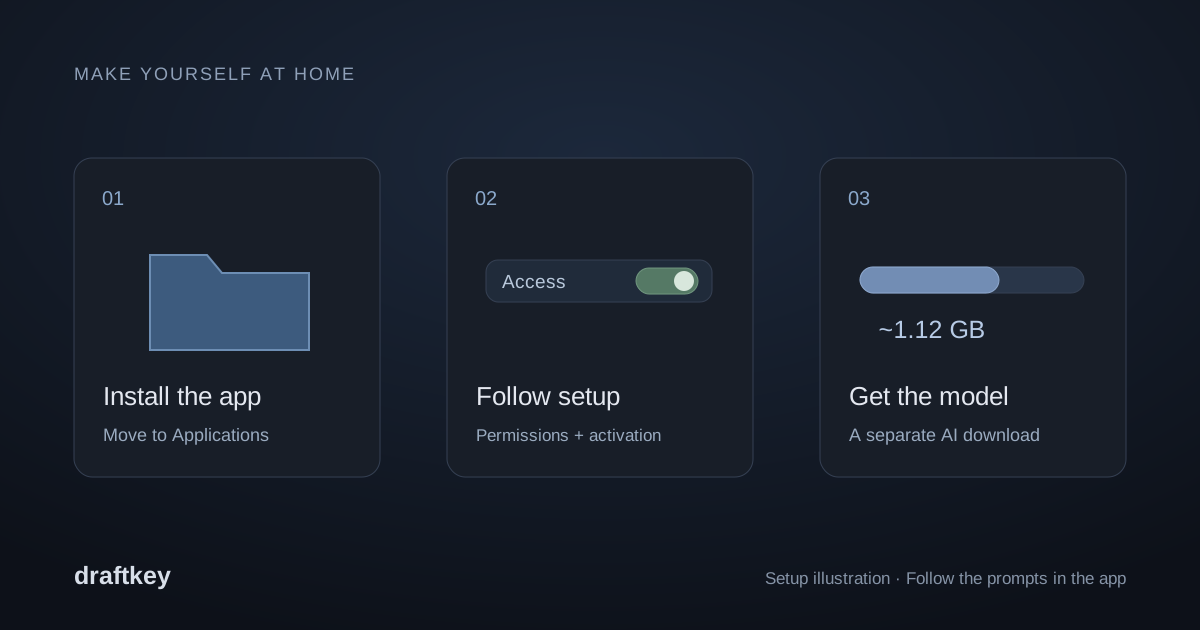
Requirements, permissions, model downloads, and answers when something needs attention.
A few things to know
DraftKey is a native Mac app that brings together AI autocomplete, instruction-based rewriting, and mechanical keyboard sounds. It’s designed to work alongside the apps you already write in.
$4.99 USD, paid once. The license never expires and covers up to three Macs you own. There’s no subscription. Updates are delivered through the app; the license doesn’t guarantee every future major version. See the Terms.
There’s no free trial. You can download DraftKey and try its keyboard sounds inside the app, but autocomplete, rewriting, and sounds in your other apps need a license. The writing demos on this page are prepared examples.
There’s no automatic money-back guarantee. Change-of-mind refunds are at our discretion, and refunds required by law are always honored. If DraftKey doesn’t work on your Mac, email contact@aura-technologies.co. The Terms have the details.
With DraftKey running and clipboard history enabled, press ⌘ ⌥ V from your app. Search or use the arrow keys to choose a saved copy, press Return to copy it again, then ⌘ V to paste. DraftKey keeps your latest 10 text copies, saved locally. See clipboard history in action.
In a compatible text field, tap Command + Option together, then release to open Writing tools. Choose an action or write a request, review the result, and choose Insert. See all shortcuts and slash commands.
No. DraftKey uses the current paragraph automatically. If you highlight text first, it works on that selection instead.
No. Autocomplete and rewrites are processed by a model running on your Mac. Your text isn’t sent to a cloud AI service. DraftKey only goes online to download the model, activate your license, and check for updates.
Absolutely. Typing sounds, autocomplete, and rewriting have independent controls. Turn on the parts you enjoy and leave the rest off.
It works in compatible text fields using macOS Accessibility. Support depends on how each app exposes its text. Some custom editors and secure fields (such as password boxes) are excluded, and you can turn DraftKey off per app.
DraftKey requires an Apple Silicon (M-series) Mac running macOS 14 or later. Intel Macs aren’t supported. AI features need at least 8 GB of memory, a separate model download of approximately 1.12 GB, and at least 2.2 GB of free space plus room for the app. See the Mac installation guide before downloading.
The writing model runs on your Mac after it is downloaded. Autocomplete and rewriting do not send your text to a cloud AI service. Setup, license activation, model downloads, and update checks still use internet connections. The privacy notice explains those connections.
Autocomplete suggests what to write next while you type. Rewriting changes text you already have, following an instruction such as “make it shorter.” You can control each feature independently.
A little help for everything you type.
One payment · up to 3 Macs · macOS 14+ on Apple Silicon · Installation guide