 draftkeyDownload for Mac
 A second pass, in your own voice
Rewrite text.
Then review it.
Make an email warmer. Shorten a long paragraph. Ask for a grammar fix. DraftKey’s Writing tools follow your instruction and let you review the rewrite right where you are writing. Slash commands offer a quick way to replace text directly.
Apple Silicon · macOS 14 or later · License required
Send the notes by Friday.
“Make this friendlier.”Could you send the notes over by Friday? Thanks so much!
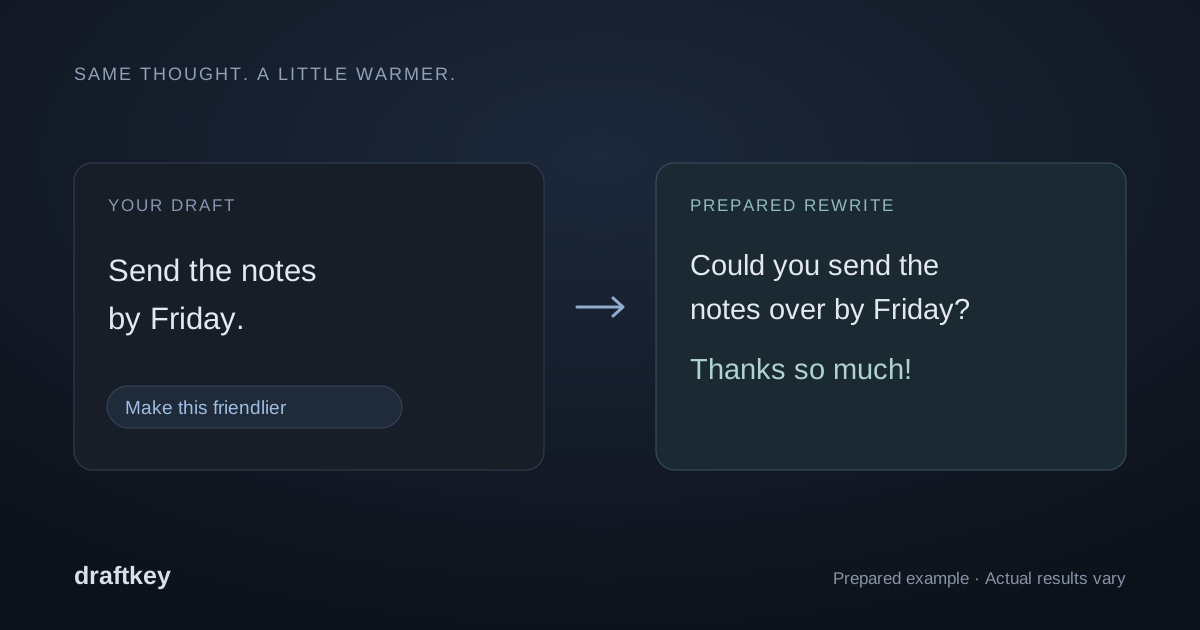
How to rewrite text on your Mac
Start with a draft in a compatible text field. DraftKey uses the current paragraph automatically, so you do not have to select everything first. If you only want to change a sentence or a smaller passage, highlight that text before asking for a rewrite.
- Tap Command + Option together, then release to open Writing tools.
- Write a specific instruction, such as “make this shorter” or “make this a friendly email.”
- Read the proposed rewrite and check that it keeps your intended meaning.
- Choose Insert to return the result to the original field. There is no need to copy and paste it yourself.
The homepage walkthrough shows an illustrative example. The Mac app performs the rewrite. This page shows the steps and uses prepared examples.
See the Writing tools panel
The Mac app lets you choose a writing action, then review and insert a proposed rewrite. These native interface previews use prepared example text. Open the image gallery for full-size PNGs and more product views.


Cleanup while you write. Tone when you choose.
With Fix spelling and grammar enabled, DraftKey checks your writing and applies corrections during a typing pause. Writing tools is for deliberate changes: Professional, Friendly, Shorter, Longer, or a custom request. Review and edit that preview before choosing Insert.
Rewrite with a slash command
In a compatible text field, finish your message with one of these commands, then type a space. DraftKey rewrites the text in place. There is no separate Insert step: read the result before sending it, and press Control + Option + Z to undo the change.
| Command | Requested change |
|---|---|
/shorter | Make the message more concise. |
/clearer | Make the wording easier to follow. |
/warmer | Give the message a friendlier tone. |
/formal | Use a more formal tone. |
/casual | Use a more relaxed tone. |
/fix | Request spelling and grammar cleanup. |
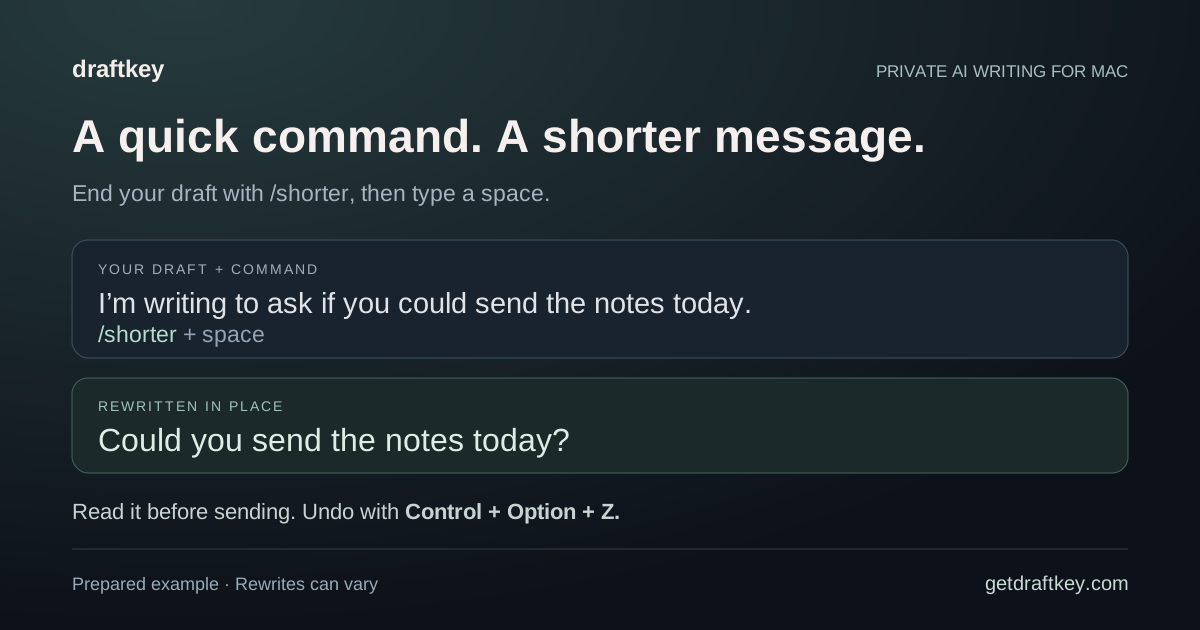
If you want to compare a proposed version with your draft before replacing it, use Writing tools instead. It opens a preview that you can edit before choosing Insert. For corrections during typing pauses, see automatic spelling and grammar cleanup.
Slash commands and the undo shortcut are documented in the DraftKey 0.1.50 release notes.
Useful instructions for everyday drafts
A clear instruction gives the model a more specific task. Name the change you want and any details it should preserve. These are requests you can try, rather than promises of an exact result:
- A warmer email: “Make this friendlier, but keep the deadline clear.”
- A shorter update: “Shorten this paragraph and keep the next steps.”
- A grammar pass: “Fix the grammar without changing my meaning.”
- A clearer message: “Use simpler words and make the request easier to follow.”
Check names, dates, facts, and tone before applying a rewrite. A more polished sentence can still change a detail you meant to keep.
Review the rewrite before you insert it
Read the proposed text before you choose Insert. This website does not include the Mac app, so it does not describe where that rewrite is produced. Model downloads, licensing, and updates use network connections; the privacy notice explains what this website and the license service store.
You need an Apple Silicon Mac running macOS 14 or later, at least 8 GB of memory for AI, and a separate model download of approximately 1.12 GB. Reserve at least 2.2 GB of free space plus room for the app. The Mac setup guide covers installation.
Use it in compatible text fields
DraftKey works through macOS Accessibility. Compatibility depends on your editor’s text support; some custom editors and secure fields are excluded. You can choose where it is active with per-app controls.
Rewriting changes an existing draft. If you want suggestions for what to write next, explore AI autocomplete for Mac. Both writing features can be controlled independently, so you can keep the kind of help that suits your work.
Make yourself at home.
Check the requirements, install DraftKey, and find your own flow.