 draftkeyDownload for Mac
 Keep the thought. Catch the typo.
Spelling & grammar.
Handled on your Mac.
DraftKey checks your writing and applies spelling and grammar fixes during a pause. The writing model runs locally, in compatible Mac text fields, with an undo shortcut when you want your original words back.
Apple Silicon · macOS 14 or later · License required
I’ll send teh notes tomorow.
Spelling correctedI’ll send the notes tomorrow.
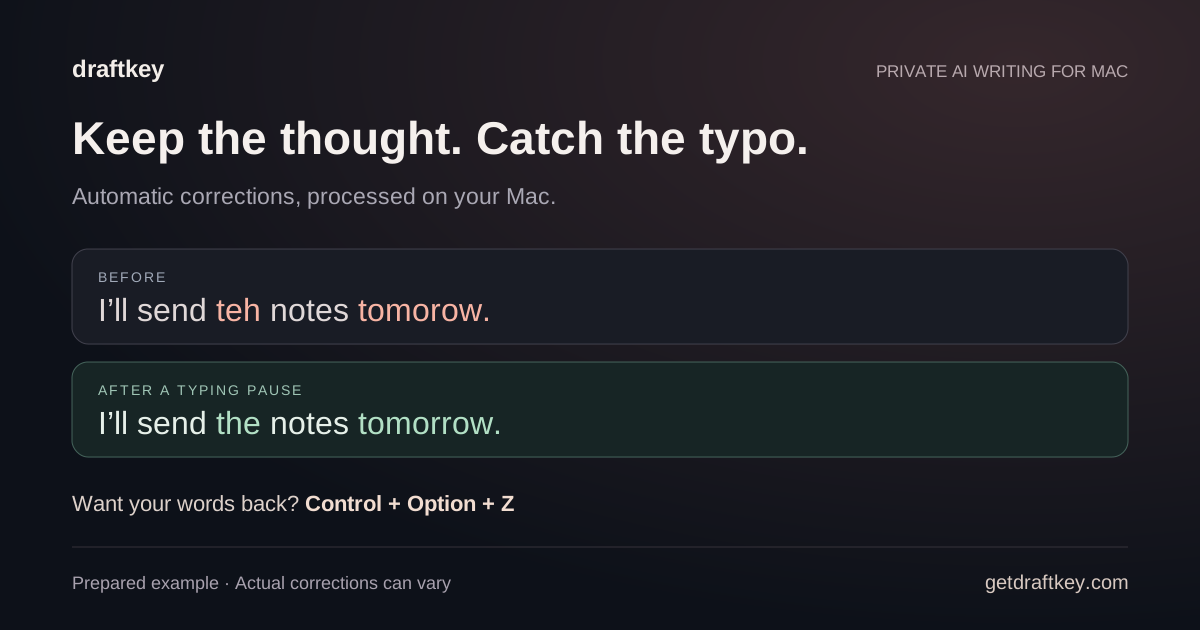
Fix spelling and grammar while typing
Enable Fix spelling and grammar in DraftKey, then write in a supported text field. DraftKey checks your text and applies corrections during a typing pause. You can stay in your editor instead of copying each sentence into a separate checker.
Paragraphs are checked sentence by sentence. That lets DraftKey correct one sentence without waiting for an unclear sentence elsewhere in the paragraph. It can also check a real word that looks like a slip in context, applying that correction only when a second check agrees. This does not make every correction right: read the finished message before sending it.
- Install DraftKey, activate your license, and finish the writing-model download.
- Grant the requested macOS permissions and enable spelling and grammar fixes.
- Type in a compatible app. Pause to let corrections land, then review the result.
If nothing changes, check that the model is ready, the feature is enabled, and the app is allowed in your per-app controls. The setup and troubleshooting guide explains the permissions and compatibility checks.
Undo a fix and keep your own words
After automatic fixes, a small chip shows what changed. Press Control + Option + Z to take the fixes back. You can turn the chip off in Settings if you prefer less on-screen feedback.
DraftKey can learn your usual typos and words you want left alone, on this Mac only. Undoing a fix or typing a word back tells it to leave that word alone next time. You can review both lists in Settings. This is useful for names, specialist vocabulary, or a deliberate spelling you want to keep.
Use the undo shortcut when a correction changes your meaning. You still control the wording, and you can turn the feature off or limit the apps where it runs.
Give the last correction a moment to land
Fix before sending is an optional setting, off by default. When enabled, it holds Return for a fraction of a second so the last spelling and grammar fixes can land before the message is sent.
Try it in the compatible messaging app you use and decide whether the brief delay suits you. If you prefer Return to respond immediately, leave this setting off. It is separate from deliberately asking Writing tools to change the tone or length of a message.
Local processing and compatible apps
The writing model runs on your Mac; your text is not sent to a cloud AI inference service for corrections. Setup, licensing, model downloads, and update checks still use online services. Read the local AI guide and privacy notice for those distinctions.
DraftKey requires an Apple Silicon Mac with macOS 14 or later and at least 8 GB of memory for AI. The model is a separate download of approximately 1.12 GB. Allow at least 2.2 GB of free space for that download, plus room for the app.
Text support depends on the editor’s macOS Accessibility implementation. Some custom editors are unsupported, secure fields are excluded, and per-app controls let you decide where DraftKey is active.
Choose the kind of writing help you need
Automatic corrections clean up text you have typed. Autocomplete suggests words that could come next. Writing tools follows a deliberate request, such as making a paragraph shorter or friendlier, with a preview you can edit before inserting.
For a quick rewrite in the text field, you can also end a message with a slash command such as /fix or /shorter followed by a space. These replace text in place; the undo shortcut lets you take the change back.
Feature and shortcut details checked against DraftKey 0.1.45 release notes.
Keep writing in your own words.
Install DraftKey and choose the help that fits your day.